Core Inspector Settings
Overview
These settings manage the initialization order, dependency injection, and device-level configurations.
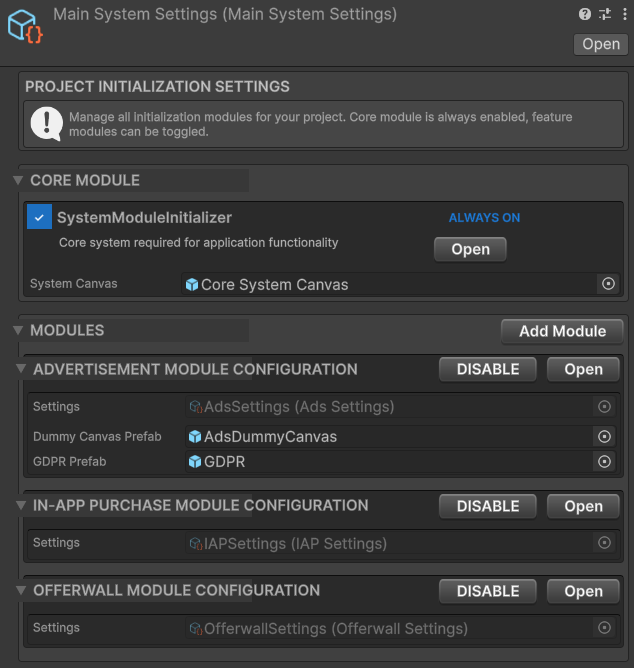
Main System Settings
1. Main System Settings
Asset: MainSystemSettings
This is the root configuration file assigned to the MainSystemManager component in your scene.
Properties
- Core Module: The fundamental module that initializes first (usually
SystemModuleInitializer). - Modules: A list of additional modules (Ads, IAP, etc.) to initialize sequentially.
- Event System Settings: Controls which Unity Input Module is added (Standalone vs New Input System).
2. System Settings
Asset: SystemModuleInitializer
Controls device performance and global UI.
Screen Settings
- Frame Rate:
- Auto: Matches device refresh rate.
- Target FPS: Manual cap (30/60).
- Battery Saver: FPS target when in low-power mode.
- Sleep Timeout:
Never Sleep: Keeps screen on (best for games).System Default: Follows user device settings.
UI References
- System Canvas: The prefab used for global Loaders and Toast messages.